

Overview
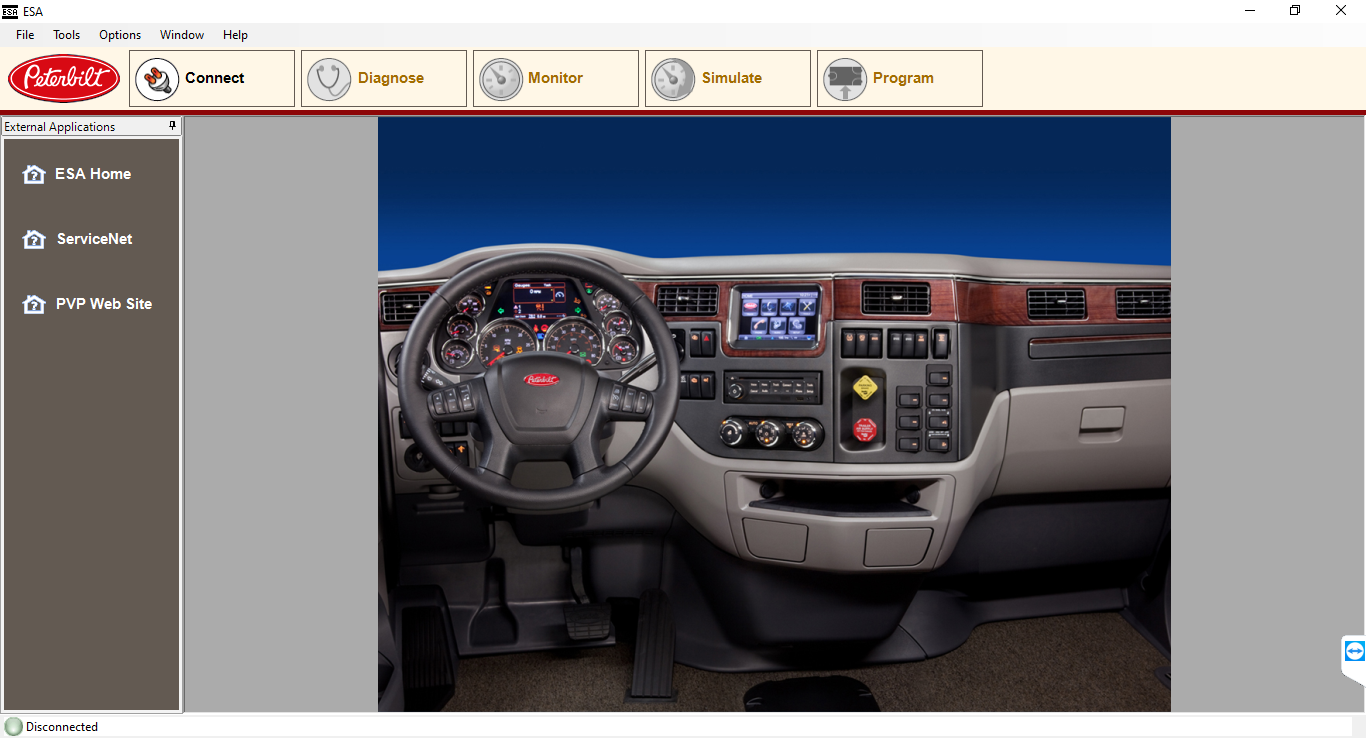
PACCAR ESA, or Electronic Service Analyst, is the OEM diagnostic and service application used for supported PACCAR, Kenworth, and Peterbilt trucks.
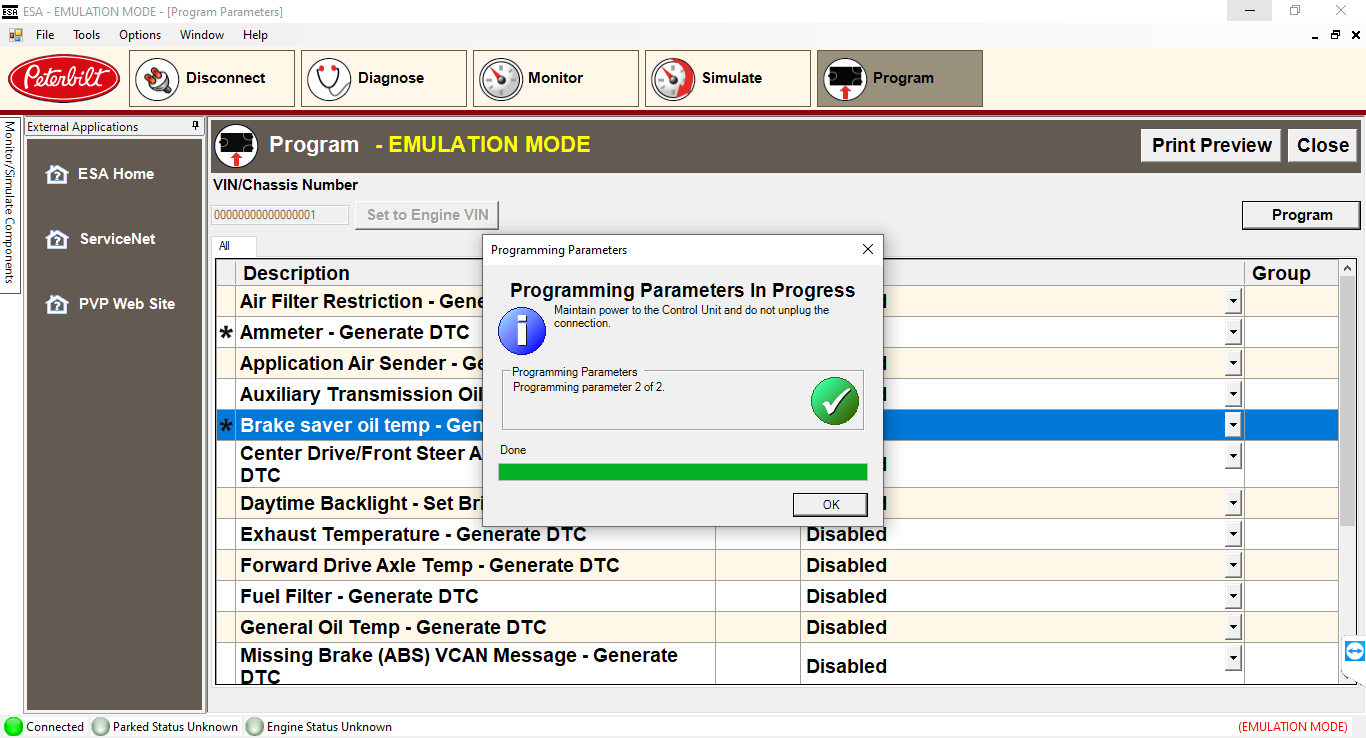
The software establishes communication between a Windows computer and supported vehicle control units through a compatible diagnostic adapter. It provides access to electronic instrumentation, control-module information, fault data, programmable parameters, firmware updates, and ECU flashing procedures.
PACCAR ESA 5.7.0 includes the 03.2023 software programming files and can be used without a PACCAR ePortal account for supported offline operations included with the supplied data package.
Software Specifications
| Specification | Details |
|---|---|
| Software | PACCAR Electronic Service Analyst |
| Abbreviation | PACCAR ESA |
| Version | 5.7.0 |
| Programming Files | 03.2023 release |
| License | Included |
| Supported Brands | PACCAR, Kenworth, Peterbilt |
| Supported Languages | English, Spanish, French |
| ePortal Access | Not included |
| Delivery Type | Digital software package |
| Installation | Remote installation and configuration available |
Supported Truck Brands
| Manufacturer | Coverage |
| PACCAR | Supported PACCAR electronic systems and control modules |
| Kenworth | Supported Kenworth truck electronic systems |
| Peterbilt | Supported Peterbilt truck electronic systems |
Exact coverage depends on the truck model, production year, installed electronic modules, communication protocol, and available programming files.
Diagnostic Functions
PACCAR ESA provides access to supported truck control systems for diagnostic and service procedures.
Diagnostic functions may include:
- Vehicle and control-unit identification
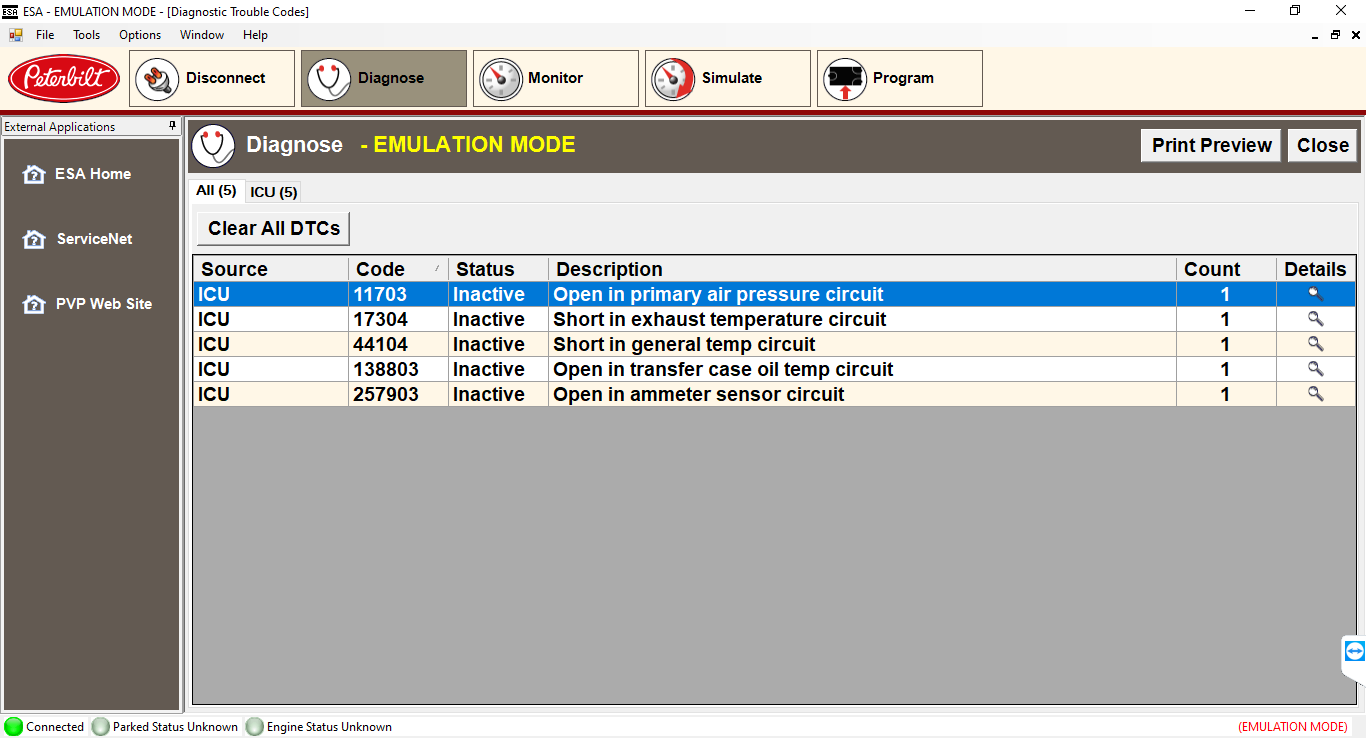
- Active fault-code retrieval
- Inactive fault-code retrieval
- Fault-code clearing
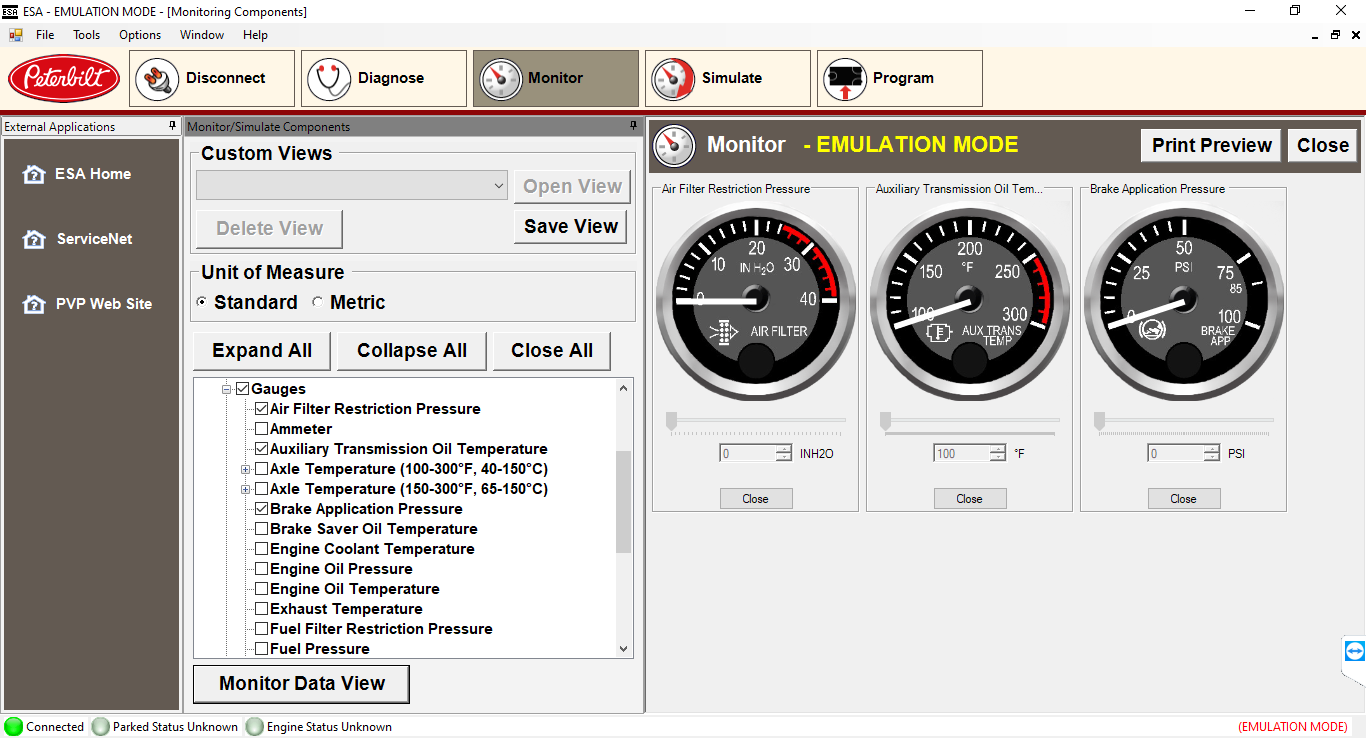
- Electronic instrumentation verification
- Real-time parameter monitoring
- Control-unit data display
- Switch and sensor status monitoring
- Vehicle network communication checks
- System troubleshooting
- Module information retrieval
- Diagnostic test execution
- Post-repair system verification
- Electronic instrumentation functionality testing
Available functions vary according to the vehicle configuration and connected control module.
Control-Unit Programming
PACCAR ESA supports programming and configuration functions for compatible vehicle modules.
Programming functions may include:
- Control-unit flashing
- Firmware upgrades
- Software revision updates
- Module replacement programming
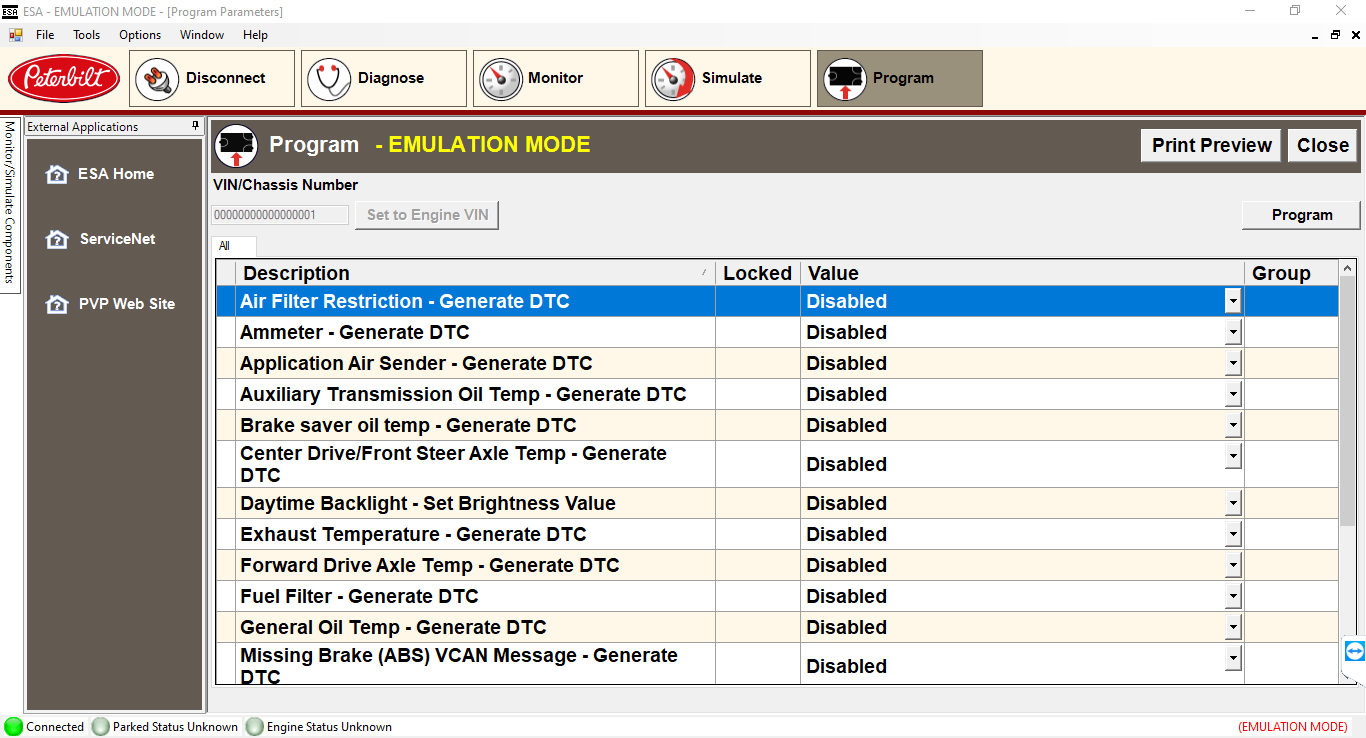
- Parameter programming
- Vehicle configuration changes
- Feature configuration
- Instrumentation setup
- Control-unit initialization
- Configuration restoration
- ECU information verification
- Module software installation
A stable diagnostic connection and suitable vehicle power supply should be maintained during control-unit programming.
Parameter Configuration
Supported control-unit parameters may be reviewed or modified according to the connected truck and installed module.
Parameter functions may include:
- Vehicle operating settings
- Instrument-cluster parameters
- Warning configuration
- Switch configuration
- Lighting parameters
- Cab-electronics settings
- Vehicle feature configuration
- Module-specific programmable options
- OEM control settings
- Electronic instrumentation parameters
Parameter availability depends on the control-unit software, vehicle specification, and manufacturer configuration.
Software Programming Files
The package includes PACCAR software programming files released in March 2023.
These files are used for supported operations such as:
- ECU firmware installation
- Control-module software updates
- Module replacement procedures
- Software revision changes
- Configuration restoration
- Supported offline flashing procedures
The correct file must be selected according to the vehicle, control-unit part number, installed software, and truck configuration.
Compatible Diagnostic Interfaces
| Diagnostic Interface | Compatibility |
| Nexiq Interface V1 | Supported |
| Nexiq Interface V2 | Supported |
The required drivers must be installed and correctly configured before PACCAR ESA can communicate with the vehicle.
Adapter functionality depends on:
- Interface firmware
- Driver version
- Windows configuration
- Vehicle diagnostic connector
- Communication protocol
- Control-unit generation
- USB connection stability
The diagnostic adapter is not included unless explicitly listed as part of the selected package.
Supported Languages
| Language |
| English |
| Spanish |
| French |
Minimum System Requirements
| Component | Minimum Requirement |
| Processor | AMD or Intel Celeron/Pentium at 1.5 GHz or higher |
| Memory | 2 GB RAM or higher |
| Storage | 10 GB of available disk space |
| USB Port | USB 1.1 minimum |
| Recommended USB | USB 2.0 |
| Operating System | Windows 7 SP1 or later |
| User Access | Windows administrator privileges are required |
A faster processor, additional memory, and SSD storage are recommended for improved application performance and faster loading of programming files.
Remote Installation and Configuration
The software can be fully installed and configured remotely by a technician.
The remote setup may include:
- PACCAR ESA installation
- License configuration
- Programming-file integration
- Nexiq driver installation
- Diagnostic-interface configuration
- Application launch testing
- Adapter detection testing
- Basic communication preparation
A stable internet connection and administrator access to the Windows computer are required during installation.
Vehicle communication testing requires access to a compatible truck and diagnostic adapter.
Important Programming Information
Before flashing or configuring a control unit:
- Confirm the truck model and vehicle identification
- Identify the correct control module
- Record the current module configuration
- Verify the existing software revision
- Select the correct programming file
- Maintain stable battery voltage
- Use a reliable diagnostic adapter
- Avoid disconnecting the USB cable
- Do not switch off the ignition during programming
- Allow the programming procedure to finish completely
Using an incorrect programming file or interrupting communication may cause module errors, loss of configuration, or control-unit communication failure.




Reviews
There are no reviews yet.