Overview
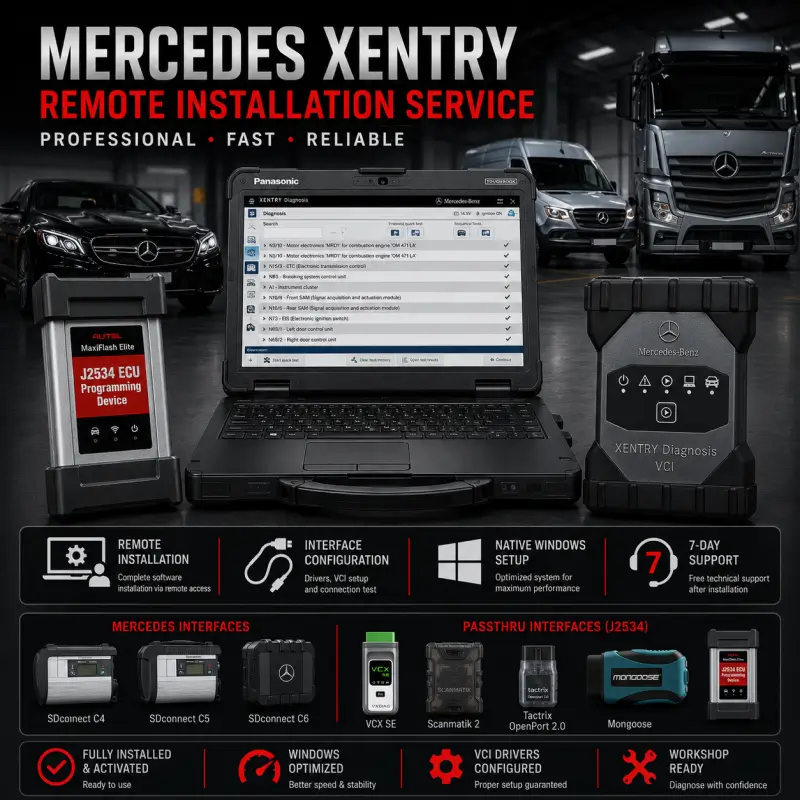
This service provides complete remote installation and configuration of your selected Mercedes XENTRY diagnostic package.
The software is installed directly on your Windows computer and prepared for use with the compatible diagnostic interface selected in your product variation.
Remote Service Includes
- Native XENTRY installation
- Software activation and configuration
- Upgrade of an existing compatible installation
- Diagnostic-interface driver setup
- LAN, WLAN, USB, or J2534 configuration when applicable
- Windows optimization for improved diagnostic performance
- Application launch and interface detection testing
- Initial communication preparation
- Troubleshooting of common installation errors
- Seven days of free installation-related support
A stable internet connection and Windows administrator access are required during the remote session.
Diagnostic Interface Compatibility
Interface compatibility depends on the XENTRY package selected at checkout.
Supported configurations may include:
| Interface Category |
Typical Hardware |
| Mercedes Diagnostic Interfaces |
SDconnect C4, C5, compatible C6 interfaces |
| J2534 PassThru Interfaces |
Scanmatik, CarDAQ, VAS6154, OpenPort, Autel, and compatible devices |
The selected software variation must match the diagnostic interface being used. Not every interface supports the same vehicles, communication protocols, programming functions, or legacy systems.
Diagnostic Functions
Depending on the selected package, vehicle, interface, and available access, supported functions may include:
- Vehicle identification
- Control-unit detection
- Fault-code reading and clearing
- Live data and actual values
- Guided diagnostic procedures
- Actuation tests
- Service and maintenance functions
- Adaptations and calibrations
- Control-unit information
- Vehicle network diagnostics
- Coding and programming when supported
- Post-repair verification
Online procedures may require valid manufacturer credentials, subscriptions, or additional authorization.
Vehicle Coverage
Vehicle coverage depends on the XENTRY package selected in the product options.
Available variations may support compatible:
- Mercedes-Benz passenger vehicles
- Mercedes-Benz vans
- Smart vehicles
- Mercedes-Benz commercial vehicles
- Mercedes-Benz trucks and buses
- Legacy vehicles requiring older diagnostic components
Please select the appropriate software and interface combination for the vehicles you intend to diagnose.
System Requirements
| Component |
Recommended Requirement |
| Operating System |
Compatible 64-bit Windows installation |
| Processor |
Intel Core i5, AMD equivalent, or better |
| Memory |
8 GB RAM recommended |
| Storage |
Minimum 110 GB free space |
| Drive Type |
SSD recommended |
| Network |
Stable broadband internet connection |
| User Access |
Windows administrator privileges |
| Diagnostic Hardware |
Interface compatible with the selected XENTRY variation |
Additional storage may be required depending on the selected installation package.
Native Windows Installation
The selected XENTRY package is installed directly on the Windows operating system without requiring a virtual machine.
Benefits include:
- Faster software startup
- Direct access to interface drivers
- More reliable USB, LAN, and WLAN detection
- Lower computer resource usage
- Easier daily workshop operation
- Simplified troubleshooting and updates
Post-Installation Support
Seven days of free support are included for installation-related issues such as:
- Application launch errors
- Driver configuration
- Interface detection
- LAN, WLAN, USB, or J2534 setup
- Basic communication preparation
- Problems directly related to the completed installation
Vehicle faults, damaged interfaces, wiring problems, manufacturer accounts, subscriptions, and unsupported hardware are not included.
Delivery
Upon successful payment, you will promptly receive an email containing your download link. If the email does not arrive, please check your spam or junk folder. You may also contact us through the live chat by clicking the icon in the bottom-right corner of the screen. Our packages are securely hosted to provide a fast, reliable, and convenient download experience. Should you encounter any difficulties during the download process, our support team will be ready to assist you. When selecting the Remote Installation option during checkout, our team will handle the complete installation and configuration process remotely through an UltraViewer or AnyDesk session, ensuring a smooth and convenient setup.






Markus Vogel –
Sie haben das Programm installiert und mein Passthru konfiguriert, sehr professionell!
Julien Moreau –
Franchement, fonctionne nickel, merci pour le service !
Andreas Weber –
Habe es jetzt seit 14 Tagen und muss sagen: alles super, immer gerne wieder.
Pierre Lambert –
Livraison quelques minutes après la commande. 100 % fiable, je recommande ce site.
James Carter –
Legitimate service, worked exactly as promised. Quick support and much appreciated.