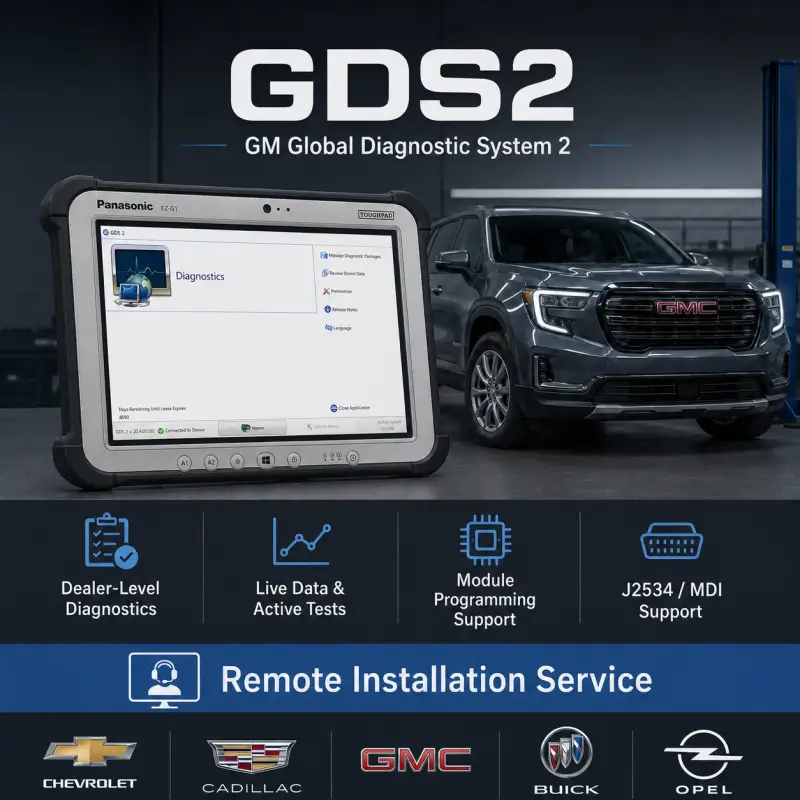
GDS2 and Tech2Win provide a complete GM diagnostic software solution for workshops, technicians, and service professionals working with supported General Motors vehicles.
GDS2, also known as Global Diagnostic System 2, is a PC-based diagnostic application used for diagnosing onboard electronic systems in modern GM vehicles. It supports vehicle-wide diagnostics, fault-code reading and clearing, system identification, live data monitoring, control operations, and supported configuration functions.
Tech2Win is the official Tech2 emulator software for GM. It allows compatible J2534 pass-thru devices to operate as a Tech2 interface, providing extended diagnostic coverage for older GM models alongside GDS2.
Professional remote installation and activation are included. Our technician will install, activate, configure, and verify the software remotely through UltraViewer or AnyDesk.
Included Software Versions
| Software |
Version |
| GDS2 |
v22.2.10600 |
| Tech2Win |
v233.6 |
| Deliverables |
2025 included |
| Activation |
Included |
| Remote Installation |
Included |
| Delivery Type |
Digital download |
Diagnostic Deliverables Included
| Diagnostic Package |
Release |
| GM China |
2025.04.24 |
| GM Global |
2025.03.24 |
| Opel / Vauxhall |
2025.04.24 |
| Saab |
2025.04.24 |
Main Diagnostic Functions
- Vehicle-wide diagnostics and system scanning
- Read and clear diagnostic trouble codes
- View vehicle and ECU identification data
- Monitor real-time data parameters
- Perform supported control operations
- Access module and system information
- Diagnose onboard electronic systems
- Support GM fault detection and troubleshooting
- Work with newer GM platforms through GDS2
- Extend older GM coverage through Tech2Win
- Use compatible J2534 pass-thru diagnostic hardware
Available functions depend on the vehicle model, production year, region, ECU architecture, installed modules, and diagnostic interface used.
GDS2 Diagnostic Software
GDS2 is designed for supported newer GM vehicles and provides advanced diagnostic access to electronic control modules, live data, vehicle identification, trouble-code management, and control functions.
It is compatible with selected 2010–2013 GM models and all 2014+ supported GM vehicles, depending on the installed deliverables and vehicle configuration.
Tech2Win Emulator
Tech2Win emulates the GM Tech2 diagnostic tool on a Windows PC. It is mainly used for older and legacy GM vehicle diagnostics, where Tech2 coverage is required instead of GDS2.
Tech2Win works with compatible J2534 pass-thru interfaces and provides extended diagnostic coverage for older GM models when used with the correct software package and interface driver.
Supported Vehicle Brands
| Brand / Region |
Coverage |
| GM Global |
Supported global GM vehicles |
| GM China |
Supported China-market GM vehicles |
| Buick |
Supported Buick models |
| Cadillac |
Supported Cadillac models |
| Chevrolet |
Supported Chevrolet models |
| GMC |
Supported GMC models |
| Opel / Vauxhall |
Supported Opel and Vauxhall models |
| Saab |
Supported Saab models |
| Holden |
Supported Holden models where listed in the deliverables |
| BrightDrop |
Supported BrightDrop models where listed in the deliverables |
Coverage includes a wide range of 2010–2013 selected models and 2014+ supported GM platforms. Exact availability depends on the diagnostic deliverable, market region, vehicle model year, and installed electronic systems.
Compatible Diagnostic Hardware
| Hardware Type |
Compatible Device |
| J2534 Hardware |
Compatible J2534 pass-thru devices |
| Bosch |
Mastertech M-VCI |
| Abrites |
AVDI |
| Drew Technologies |
Mongoose Pro GM II / CarDAQ |
| GM |
MDI / MDI 2 |
The correct interface driver must be installed and configured before using GDS2 or Tech2Win with the vehicle.
System Requirements
| Component |
Requirement |
| Processor |
AMD or Intel 2.0 GHz or higher with virtualization |
| Memory |
4 GB RAM minimum |
| Storage |
5 GB free space |
| Operating System |
Windows 7 or newer |
| Diagnostic Interface |
Compatible J2534, GM MDI, MDI 2, or supported pass-thru interface |
| Internet Connection |
Required for download and remote installation |
| User Access |
Windows administrator privileges recommended |
Delivery & Installation
For your convenience, the program will be professionally installed and activated remotely through an UltraViewer or AnyDesk session. Once your payment has been successfully completed, you will promptly receive an email containing the download link and detailed instructions. If you do not receive the email, please check your spam or junk folder. You may also contact us through the live chat by clicking the icon in the bottom-right corner of the screen. All our packages are securely hosted to ensure a fast, reliable, and convenient download experience. In the unlikely event that we are unable to complete the installation successfully, you will be entitled to a full refund as part of our commitment to customer satisfaction.
Tech2Win VS GDS2
| Feature / Aspect |
Tech2Win (or Tech2) |
GDS2 |
| Emulation on PC |
Yes (Tech2Win) |
It is inherently PC software |
| Support for older / legacy GM vehicles |
Strong |
May have limited or no coverage for very old vehicles |
| Support for newer / global GM architectures |
Weak / limited |
Strong support for modern GM platforms |
| Advanced diagnostics, programming, module updates |
More limited (especially via emulator) |
Better support for module reprogramming, updates, parameter access |
| License / subscription requirement |
Yes (for Tech2Win) |
Yes (subscription, updates, access to service data) |
| Compatibility / hardware interface |
Works with MDI, J2534, etc. depending on setup |
Requires proper interface (MDI, MDI2) and subscription access |
| Actuator / test functions |
Some may be unsupported or limited in Tech2Win |
Usually more complete support for actuator tests, advanced diagnostics |
| Ease of use / accessibility |
For older cars easier if you already have the tools |
Requires more setup, subscriptions, and often setup with GM’s service software |



Reviews
There are no reviews yet.