Overview
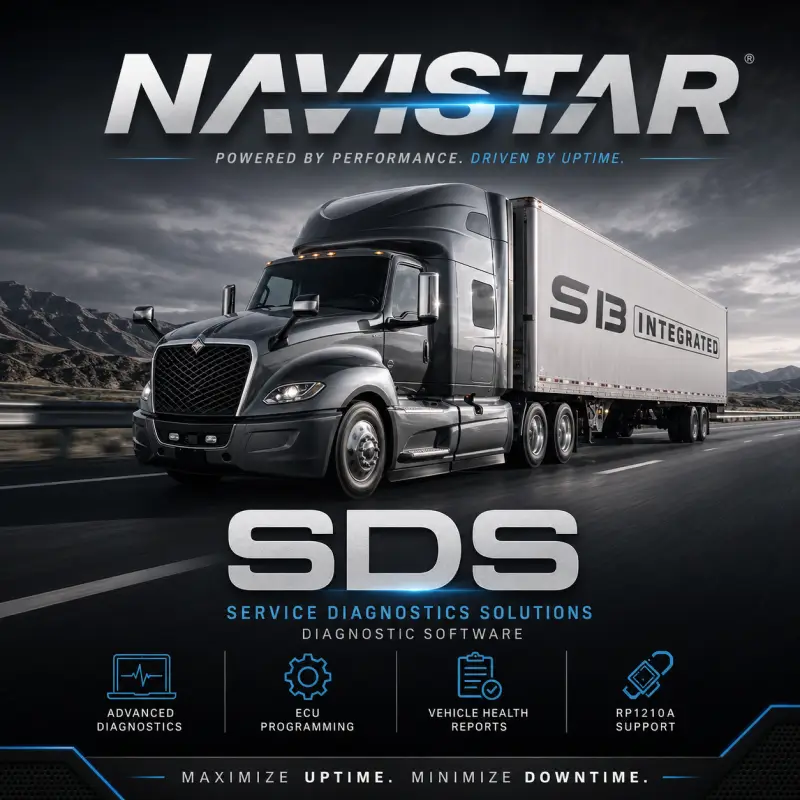
Navistar SDS, also known as Service Diagnostics Solutions, is professional diagnostic and programming software developed for supported International vehicles and newer Navistar engine platforms.
Designed for technicians, workshops, dealerships, and fleet-maintenance professionals, Navistar SDS provides access to vehicle diagnostics, electronic control-unit parameters, module calibrations, replacement-module programming, and real-time service tests.
This version primarily supports 2017 and newer Navistar platforms, including International A26 and S13 engines, the S13 Integrated Powertrain, T14 transmission, and supported electric vehicles.
Main Features
- Generate complete vehicle and system health reports
- Read, clear, and analyze diagnostic trouble codes
- View ECU and vehicle-system information
- Adjust supported ECU and vehicle parameters
- Program and configure replacement modules
- Install supported calibration and firmware updates
- Perform blank-module programming
- Run real-time Service Bay diagnostic tests
- Execute supported simulations and component tests
- Diagnose International trucks, buses, engines, and electric platforms
- Support workshop and fleet-maintenance troubleshooting
Available functions depend on the connected vehicle, engine, ECU, transmission, communication adapter, and vehicle configuration.
Software Information
| Software Information |
Details |
| Software Name |
Navistar SDS |
| Full Name |
Service Diagnostics Solutions |
| Software Version |
1.9.7 |
| Data Release |
05.2023 |
| Activation |
Included |
| Supported Language |
English |
| Primary Coverage |
International and Navistar vehicles |
| Interface Standard |
RP1210A |
| Delivery Type |
Digital download |
Diagnostic and Programming Functions
Health Reports
Generate a complete system health report to review vehicle information, detected control modules, diagnostic trouble codes, and system status.
DTC Management
Read, clear, and analyze supported diagnostic trouble codes stored in vehicle electronic control units.
Parameter Programming
Adjust supported engine, ECU, and vehicle parameters according to the available module configuration.
Calibration Updates
Flash and update compatible electronic modules using supported calibration and firmware files.
Blank-Module Support
Program and configure compatible replacement modules after installation in the vehicle.
Service Bay Tools
Run real-time diagnostic tests, simulations, and supported service procedures for troubleshooting and post-repair verification.
Supported International Trucks and Buses
| Vehicle Family |
Supported Models and Applications |
| Engines and Powertrain |
International A26 2017–2021, A26 2022 and newer, S13 Integrated Powertrain, T14 Transmission |
| Electric Vehicles |
International eMV Series, Electric CE Series school bus |
| Current Truck Platforms |
LT Series, RH Series, MV Series, HV Series, HX Series, LoneStar |
| Additional Trucks |
DuraStar, WorkStar, TranStar, ProStar, 9000i Series, TerraStar, PayStar |
| Specialized Vehicles |
CXT, MXT, LoadStar, CityStar / CF Series |
| Buses |
RE Integrated Bus |
Navistar Defense Vehicle Coverage
- MaxxPro MRAP
- Husky Tactical Support Vehicle
- Medium Tactical Vehicles
- Common Tactical Truck prototypes
- HV 6×6 military applications
Supported Engines
- International A26
- International S13
- MaxxForce 5
- MaxxForce 7
- MaxxForce 9
- MaxxForce 10
- MaxxForce 11
- MaxxForce 13
- MaxxForce 15
- N9 with SCR
- N10 with SCR
- N13 with SCR
- DT466
- DT570
Coverage and available diagnostic functions may vary by model year, engine generation, vehicle architecture, and installed electronic modules.
Supported Communication Adapters
| Manufacturer |
Compatible Adapter |
| NEXIQ Technologies |
USB-Link 2 and USB-Link 3 |
| Noregon Systems |
DLA+ 2.0 and DLA+ 2.0 Wireless |
| Dearborn Group Technologies |
DPA5 |
| Other Manufacturers |
Compatible RP1210A interface devices |
The correct RP1210A drivers must be installed and configured before connecting Navistar SDS to the vehicle.
Compatibility Requirements
| Component |
Requirement |
| Operating System |
Windows 7, Windows 10, or Windows 11 |
| Communication Standard |
RP1210A |
| Diagnostic Interface |
Compatible NEXIQ, Noregon, Dearborn, or another RP1210A adapter |
| Supported Language |
English |
| Administrator Access |
Recommended for installation and configuration |
| Internet Connection |
Required for downloading and remote setup |
Delivery
Upon successful payment, you will promptly receive an email containing your download link. If the email does not arrive, please check your spam or junk folder. You may also contact us through the live chat by clicking the icon in the bottom-right corner of the screen. Our packages are securely hosted to provide a fast, reliable, and convenient download experience. Should you encounter any difficulties during the download process, our support team will be ready to assist you. When selecting the Remote Installation option during checkout, our team will handle the complete installation and configuration process remotely through an UltraViewer or AnyDesk session, ensuring a smooth and convenient setup.


Reviews
There are no reviews yet.