Isuzu US-IDSS 1.3.4 Diagnostic Software 2.2023 with Remote Installation

90,00

(10 customer reviews)

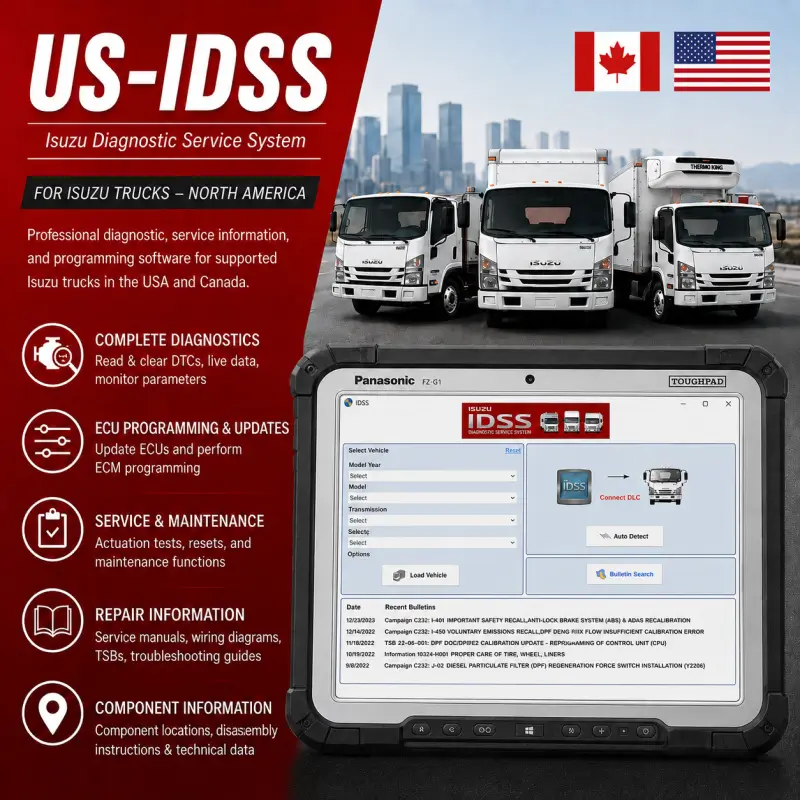
Isuzu US-IDSS 1.3.4 with Data Update 2.2023 is professional diagnostic, service-information, and programming software for supported Isuzu trucks in the USA and Canada.

The package includes remote installation and activation through UltraViewer or AnyDesk. US-IDSS provides fault-code diagnostics, live data, actuation tests, ECU updates, ECM programming, maintenance resets, repair manuals, wiring diagrams, troubleshooting guides, service bulletins, and component-location information. It supports compatible J2534 interfaces, including IDS MX1, IDS MX2, DPA 5, CarDAQ, NEXIQ, Noregon DLA+, and Bosch devices.

Overview

Isuzu Diagnostic Service System, commonly known as US-IDSS, is the new-generation diagnostic and service-information platform for supported Isuzu trucks in the United States and Canada.

US-IDSS combines several essential workshop resources within one application, including the diagnostic scan tool, service programming, repair information, electrical troubleshooting manuals, technical bulletins, component locations, disassembly instructions, and selected training materials.

The software operates on a compatible Windows laptop or desktop computer and communicates with supported vehicles through an industry-standard J2534 vehicle communication interface.

Professional remote installation and activation are included. The software will be installed, activated, and configured through UltraViewer or AnyDesk.


US-IDSS Software Information

Software Information Details
Software Name Isuzu Diagnostic Service System
Abbreviation US-IDSS
Software Version 1.3.4
Data Update 2.2023
Market North America
Supported Countries USA and Canada
Supported Language English
Communication Standard J2534
Activation Included
Remote Installation Included
Delivery Type Digital download

This edition is specifically intended for the North American market. Customers requiring coverage for other global regions should use the G-IDSS edition.


Main Diagnostic and Service Functions

  • Read and clear diagnostic trouble codes
  • View vehicle and ECU data lists
  • Monitor supported live parameters
  • Perform actuation and component tests
  • Update compatible electronic control units
  • Complete supported ECM programming procedures
  • Reset maintenance indicators and service functions
  • Access repair and service manuals
  • View electrical wiring diagrams
  • Access electrical troubleshooting manuals
  • Follow guided troubleshooting procedures
  • View component-location information
  • Access disassembly and repair instructions
  • Review technical service bulletins
  • Use integrated service programming resources
  • Access selected training information

Available functions depend on the vehicle model, production year, engine, electronic control unit, installed systems, and connected diagnostic interface.


Supported Isuzu Truck Coverage

US-IDSS covers North American Isuzu, Chevrolet, and GMC commercial trucks from 1985 to 2022, including N-Series, F-Series, W-Series, T-Series, H-Series, EVR, stripped-chassis, and selected bus applications.

Model Years Main Vehicle Coverage Supported Engines
2020–2022 N-Series, F-Series, FTR, NPR 4HK1 5.2L diesel, 6.0L and 6.6L gasoline
2018–2019 NPR, NPRHD, NQR, NRR, FTR, stripped chassis 4JJ1 3.0L diesel, 4HK1 5.2L diesel, 6.0L gasoline
2012–2017 NPR, NPRHD, NQR, NRR, stripped chassis 4JJ1 3.0L diesel, 4HK1 5.2L diesel, 6.0L gasoline
2009–2011 NPR, NPRHD, NQR, NRR, W3500–W5500, C-Series, T-Series 4JJ1 3.0L, 4HK1 5.2L, 6.0L gasoline, 6HK1 7.8L
2003–2008 NPR, NPRHD, NQR, NRR, FRR, FTR, FVR, FXR, HTR, HVR, HXR 4HE1 4.8L, 4HK1 5.2L, 5.7L/6.0L gasoline, 6HK1 7.8L
1998–2002 NPR, NPRHD, NQR, FRR, FSR, FTR, FVR 4BD2 3.9L, 4HE1 4.8L, 5.7L gasoline, 6HE1/6HK1 7.1L–7.8L
1990–1997 NPR, NRR, FSR, FTR, FVR, EVR 4BD2 3.9L, 5.7L gasoline, 6BD1 5.8L, 6BG1 6.5L, 6SA1 8.4L
1985–1989 NPR, FSR, FTR, FVR, EVR, KS22 4BD-1/4BD1 3.9L, 6BD1 5.8L, 6BG1 6.5L, 6SA1 8.4L

Supported Vehicle Communication Interfaces

Manufacturer or Interface Family Supported Device
Dearborn Group DPA 5
Isuzu IDS MX1 Isuzu Interface Device
Isuzu IDS MX2 Isuzu Interface Device
Drew Technologies CarDAQ
NEXIQ Technologies NEXIQ
NEXIQ Technologies NEXIQ 2
Noregon / JPRO Fleet Products DLA+
Noregon / JPRO Fleet Products DLA 2.0+
Bosch Compatible J2534 interface device

The appropriate interface driver must be installed and configured before connecting US-IDSS to a supported vehicle.


Minimum System Requirements

Component Minimum Requirement
Computer Standalone laptop or desktop PC
Operating System Windows 8.1 or Windows 10
Architecture 32-bit and 64-bit supported
Processor Pentium processor above 2.0 GHz
Memory 2 GB RAM for 32-bit or 4 GB RAM for 64-bit
Storage 40 GB minimum; 80 GB recommended
USB Connection USB 2.0 port
Screen Resolution Minimum 1024 × 768
Diagnostic Interface Compatible J2534 vehicle interface
Internet Connection Stable connection required for download and remote setup
User Access Windows administrator privileges recommended


Delivery

For your convenience, the program will be professionally installed and activated remotely through an UltraViewer or AnyDesk session. Once your payment has been successfully completed, you will promptly receive an email containing the download link and detailed instructions. If you do not receive the email, please check your spam or junk folder. You may also contact us through the live chat by clicking the icon in the bottom-right corner of the screen. All our packages are securely hosted to ensure a fast, reliable, and convenient download experience. In the unlikely event that we are unable to complete the installation successfully, you will be entitled to a full refund as part of our commitment to customer satisfaction.

10 reviews for Isuzu US-IDSS 1.3.4 Diagnostic Software 2.2023 with Remote Installation

  1. Andrew Parker

    Everything went smoothly, awesome service from start to finish.

  2. Thomas Weber

    Super!!! Danke sehr, wir sind sehr zufrieden. Gerne wieder.

  3. James Wilson

    Excellent communication and outstanding service. Can definitely recommend.

  4. Kevin Scott

    Everything was set up exactly as described.

  5. Robert King

    Can’t complain, great service.

  6. Richard Turner

    Everything worked as expected and the support team was very professional. I’d use them again.

  7. Michael Clark

    Installation was quick, item matched the description and it’s working perfectly.

  8. Nathan Cooper

    Perfect, couldn’t ask for more.

  9. George Miller

    The software works great and the whole transaction was a pleasure.

  10. Brian Adams

    I had been trying to install this software for weeks without success. They connected remotely and had everything running in under two hours. Very professional service.

Add a review

Your email address will not be published. Required fields are marked *